1. Paste a few real replies
Five is enough to start, fifty is better. Add what they said with them: and me: for more context.
ur edit is insane how
STOPPP ty 😭 capcut + 3 hrs of pain
where u from
secret 🤫
Paste your past texts, and the AI texts like you. An iPhone keyboard that writes your TikTok DM replies in your own voice.
Five is enough to start, fifty is better. Add what they said with them: and me: for more context.
ur edit is insane how
STOPPP ty 😭 capcut + 3 hrs of pain
where u from
secret 🤫
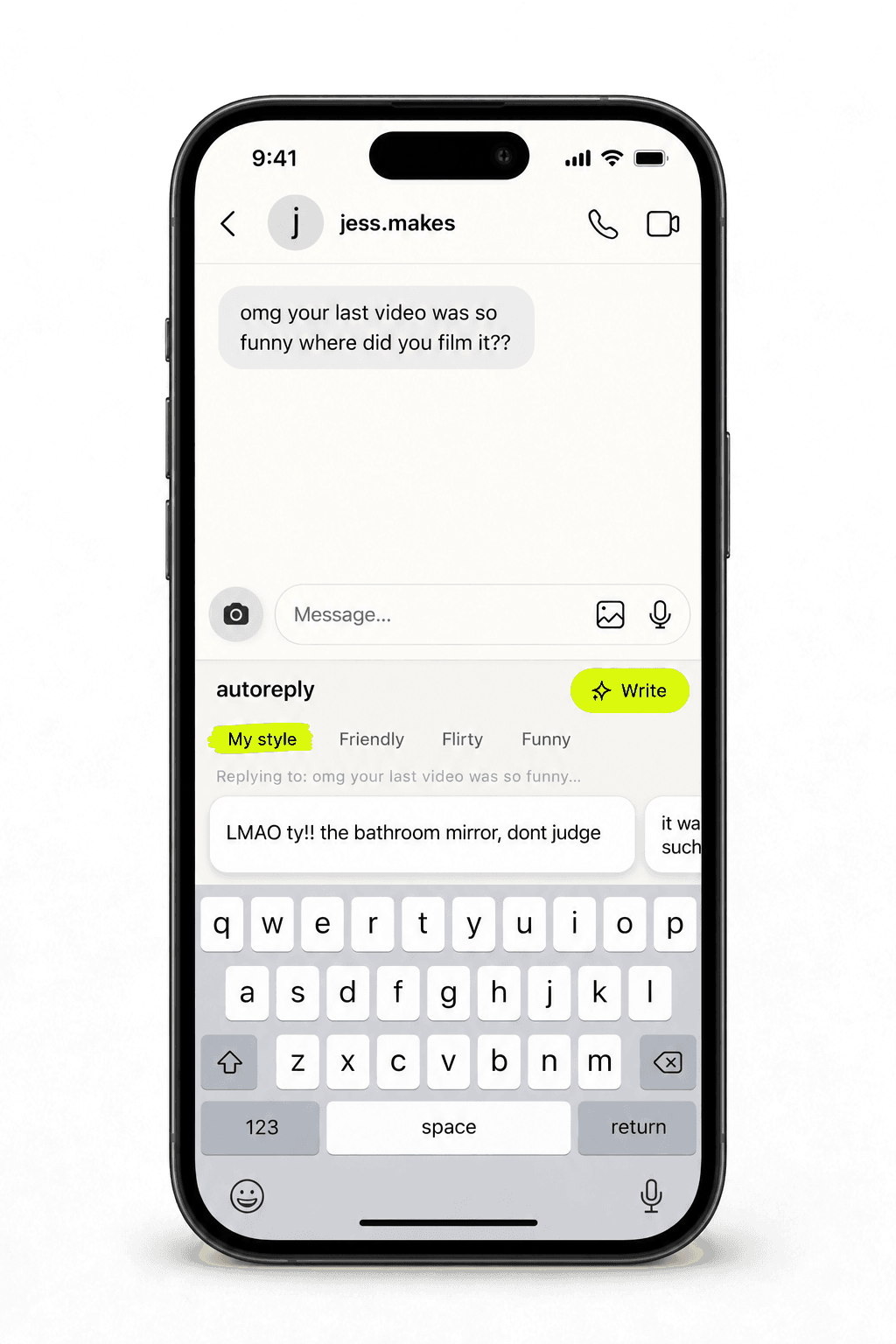
Switch to the AutoReply keyboard in any chat.
It goes straight into the reply box. Edits on the web sync to your phone live.
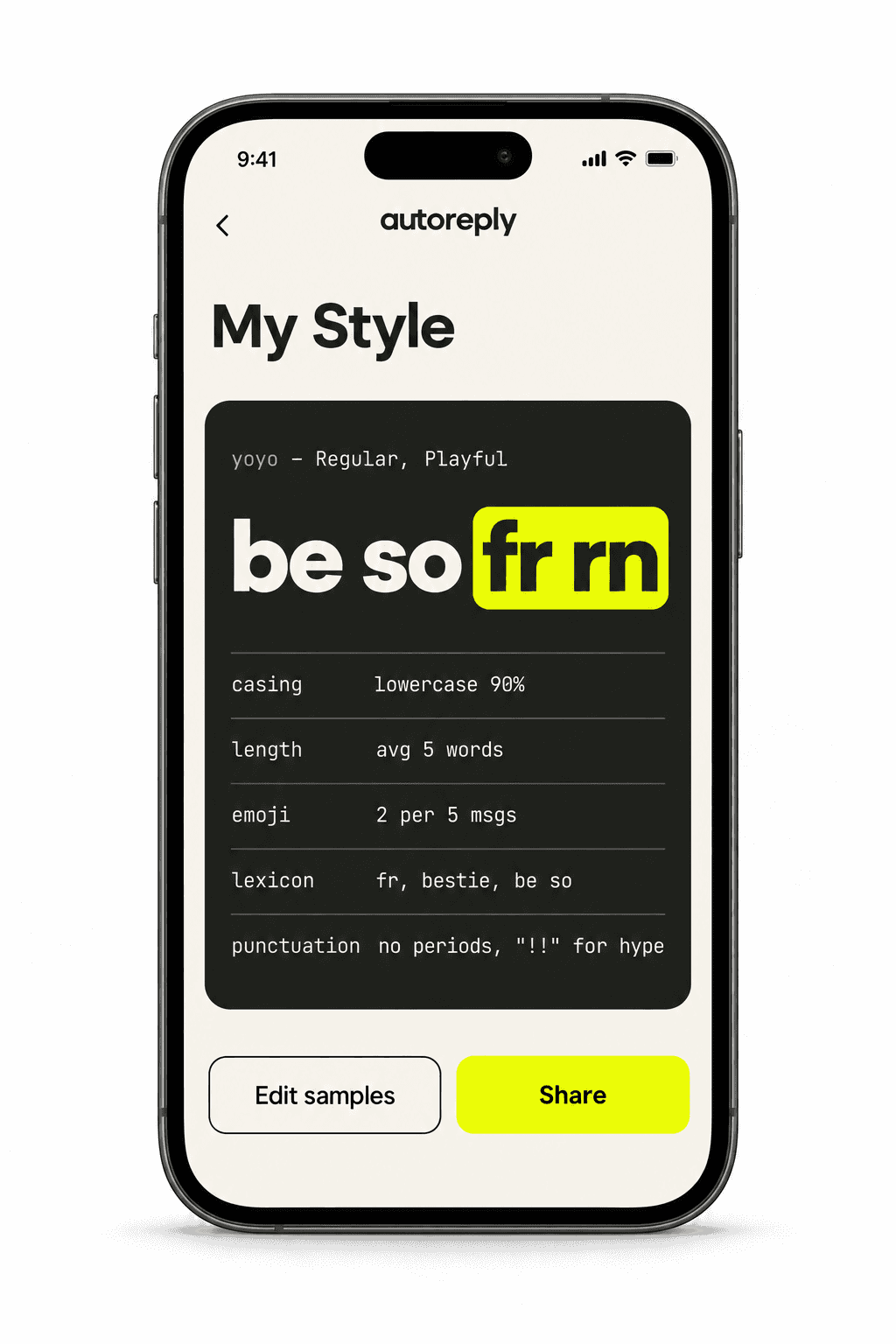
Most AI replies sound like a help desk. AutoReply learns how you actually text, the lowercase, the stoppp, the one emoji at the end, and writes like that. Your friends won't notice. That's the point.
See exactly what the AI learned from you: your casing, your length, your emoji, your words. Share it if you dare.
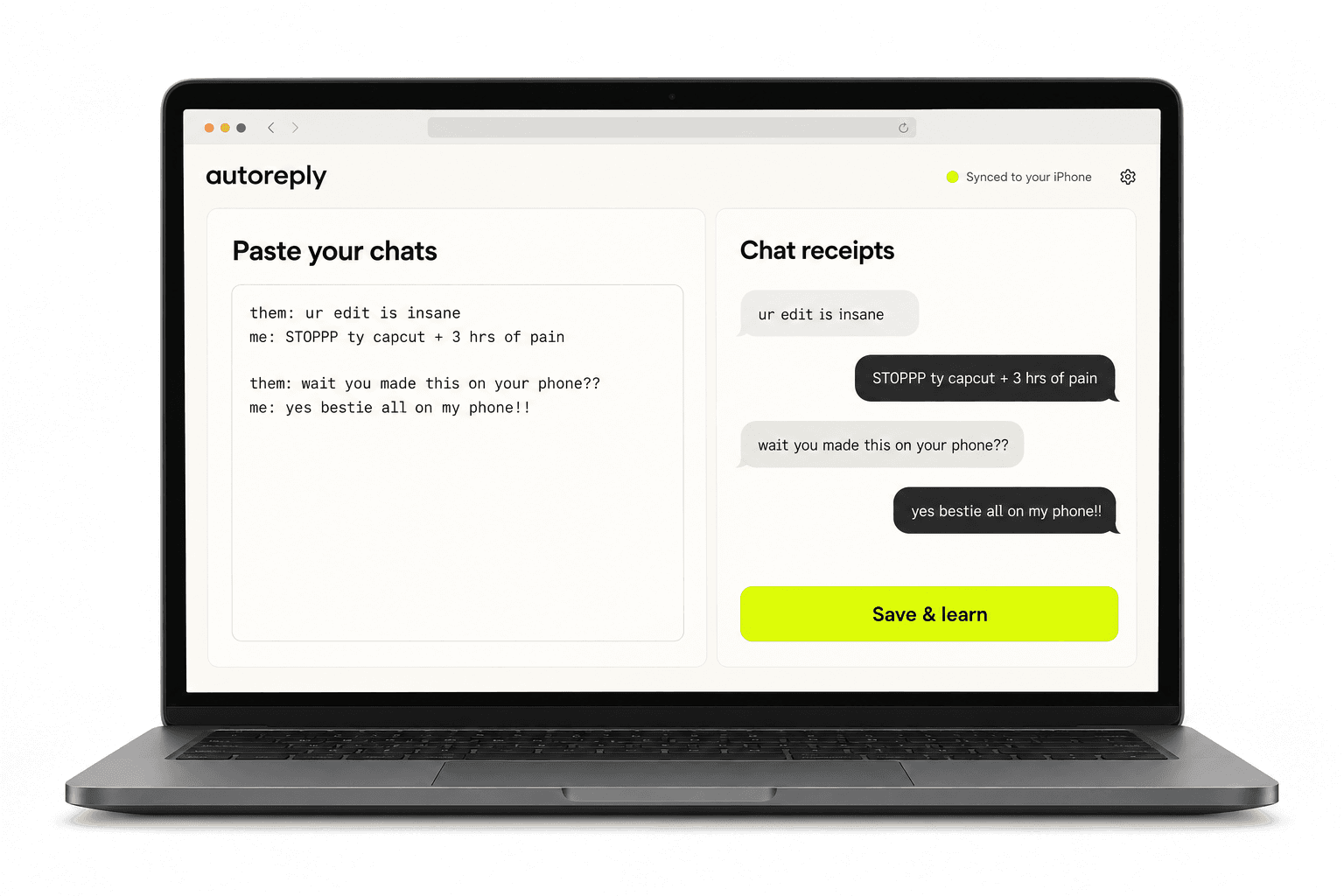
Long chat exports are easier on a keyboard and a big screen. Save here and your iPhone updates within a second.
The same DM, six ways
omg your last video was so funny where did you film it??
ur edit is insane how
STOPPP ty 😭 capcut + 3 hrs of pain
example · learned voice: lowercase, hype, one emoji
Only when you tap Write, the DM you copied goes to our server and our AI service provider to draft reply options. We don't store DM text.
The keyboard never sends what you type. Your pasted samples are stored so the AI can keep sounding like you, and you can delete them, and your account, at any time.